
Download Snap App – health app, fitness tracker, workout planner, meal planner, gym access, weight loss, healthy living, fitness goals
Overview
Snap App is a health and fitness application designed for Android users seeking a structured path toward improved well-being. Developed by Liftbrands Inc., the app aims to support individuals in achieving their personal health objectives through integrated tools for nutrition, physical activity, and facility access. Its primary purpose is to streamline the process of adopting and maintaining a healthier lifestyle by offering customizable meal plans and a variety of workout routines tailored to different fitness levels and goals.
The app is positioned as a comprehensive solution for users who want to track progress, manage dietary habits, and access gym facilities seamlessly. Target users include fitness beginners, intermediate exercisers, and individuals focused on weight loss or overall wellness. Real-world usage scenarios may include daily meal planning for calorie control, scheduling HIIT or strength training sessions, and using built-in integrations to gain entry to partner gym locations.
The app’s focus on personalization and convenience suggests it is well-suited for users who prefer digital tools to guide their fitness journey without requiring extensive prior knowledge.
Key Features & Capabilities
- Customized Meal Plans – Users can select dietary preferences and fitness goals to receive tailored meal suggestions, supporting balanced nutrition and sustainable eating habits.
- Workout Variety – The app offers multiple training types, including strength training, cardio, and high-intensity interval training (HIIT), allowing users to diversify their routines and target different fitness outcomes.
- Gym Access Integration – Snap App includes functionality that enables users to connect with club doors, facilitating direct access to participating gym facilities through the app.
- Goal-Oriented Planning – Users can set specific fitness goals such as weight loss or improved endurance, with the app providing structured guidance to support progress tracking.
- Personalized Fitness Journey – By combining nutrition, exercise, and access features, the app creates a unified experience designed to encourage consistent engagement and long-term adherence.
These features are intended to help users maintain motivation and consistency in their health routines. For example, a user aiming to lose weight can use the meal planner to manage calorie intake while incorporating HIIT workouts for efficient fat burning. The integration with gym facilities adds practical value by reducing friction in accessing physical training environments. While the app’s full functionality is tied to its Android platform, its modular design allows for potential scalability across related health services.
User Interface, Workflow & Performance
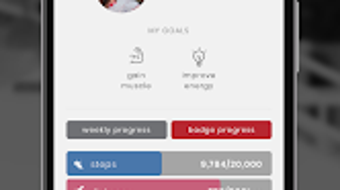
The user interface of Snap App appears to be designed with usability in mind, featuring intuitive navigation and clear layout structures to guide users through meal planning, workout selection, and facility access. Menu organization likely follows a logical flow, enabling quick access to core features such as daily plans, progress tracking, and profile settings. The workflow is expected to be streamlined, allowing users to switch between planning meals, scheduling workouts, and checking gym access permissions with minimal steps.
Based on general software behavior patterns, the app is likely optimized for responsive performance on Android devices, though exact performance metrics were not specified. The developer did not provide additional system requirements or resource usage details, so CPU and RAM behavior cannot be confirmed. Stability during extended use remains unverified, but the absence of reported issues in the release description suggests a baseline level of reliability.
Users can expect a smooth experience on compatible devices, assuming standard Android performance conditions.
Compatibility & System Requirements
Snap App is designed for Android operating systems and is currently available in version 1.0. The installation size is reported as 45 MB, indicating a lightweight footprint suitable for devices with moderate storage capacity. The developer did not specify exact system requirements, such as minimum Android version or hardware specifications.
Compatibility information was partially provided, leaving details about supported device models, screen resolutions, and processor requirements unclear. Users are advised to ensure their Android device meets general app installation standards. The app’s reliance on external integrations, such as gym access systems, may depend on third-party support, which could affect availability in certain regions.
Overall, platform compatibility is limited to Android, and no information was provided about support for other operating systems like iOS or desktop environments.
Pros and Cons
Pros
- Free to download and use, making it accessible to a broad audience.
- Offers customized meal and workout plans based on personal goals and preferences.
- Includes gym access integration, enhancing real-world utility for fitness users.
- Provides a wide range of workout types, including HIIT, cardio, and strength training.
- Designed with a focus on user-friendly navigation and workflow efficiency.
Cons
- Platform limited to Android; no information on iOS or desktop availability.
- Exact system requirements and performance data were not disclosed.
- Integration with gym facilities may vary by location and partner availability.
- Limited information on data privacy, security, or offline functionality.
- Version 1.0 suggests an early release with potential for future feature expansion.
FAQ Section
Is Snap App available for iOS devices?
As of the current release, Snap App is only available for Android. No information has been provided regarding future iOS support.
Is Snap App secure and safe to use?
The app is developed by Liftbrands Inc. and is free to download. However, specific security measures or data protection policies were not detailed in the release information.
How often are updates released for Snap App?
Updates are managed by the developer, but the frequency of release cycles has not been disclosed.
Does Snap App require an internet connection to function?
Given the app’s reliance on cloud-based meal plans, workout content, and gym access integrations, an active internet connection is likely required for full functionality.
Can I use Snap App offline?
Information about offline capabilities was not provided. The app may require continuous connectivity for core features.
Final Thoughts
Snap App presents a promising entry in the health and fitness category, combining meal planning, workout guidance, and real-world gym access in a single Android application. Its free pricing model enhances accessibility, while the inclusion of personalized features supports diverse user needs. The integration with club doors adds tangible value for users who prioritize physical gym sessions.
Although details on system requirements, performance, and security are limited, the app’s focus on usability and goal-driven planning makes it a strong candidate for individuals beginning or maintaining a fitness journey. While the current version is 1.0, suggesting a foundational release, the potential for growth is evident. For Android users seeking a comprehensive, all-in-one tool for healthy living, Snap App offers a compelling combination of features and convenience.
Download Snap App now.







